
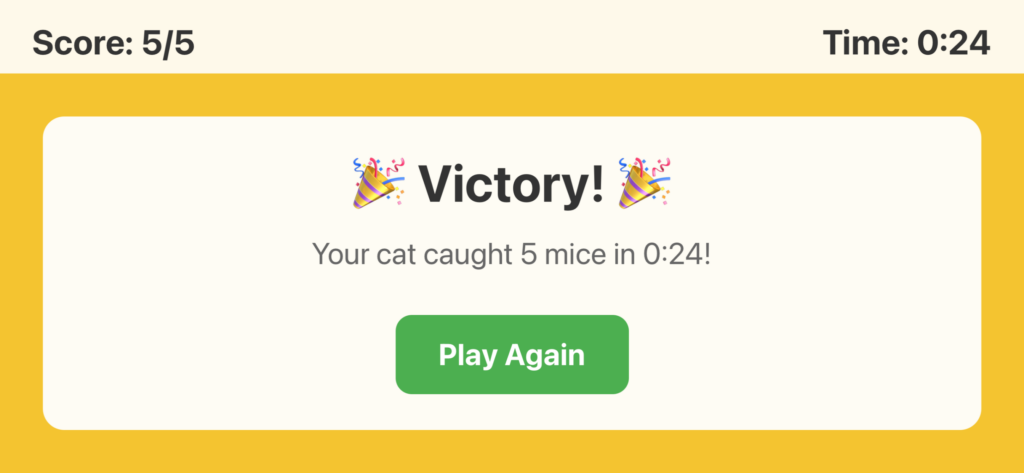
I built an iPad app today. From zero to App Store submission in about 12 hours. Not a side project that’ll sit in a repo somewhere – an actual submission that’s currently “In Review” at Apple. Here’s how it went down.
The Idea
The concept was simple: create an interactive game for cats. A mouse that moves around the iPad screen, changes direction randomly, and squeaks when touched. Something to keep indoor cats entertained while you’re working from home or just want to give them some screen time.
I’d seen those YouTube videos of “games for cats” – usually just pre-recorded mice running around. I figured I could do better with a proper interactive app.
The Tech Stack
I went with React Native and Expo. I’ve done some Expo work before, and the tooling is solid. The big advantage here was EAS Build – Expo’s build service that handles all the iOS compilation in the cloud. No need for a Mac, no Xcode nightmares, just push your code and get an IPA file back.
The mouse started life as an emoji (🐭), which looked terrible. I briefly considered using a 3D model – even generated a couple of realistic mice using Meshy.ai, which worked brilliantly for creating the models but fell apart when I tried to integrate them. React Native 3D support is… let’s just say it’s not mature. Version conflicts between expo-three and the React Native version killed that idea pretty quickly.
The Mouse
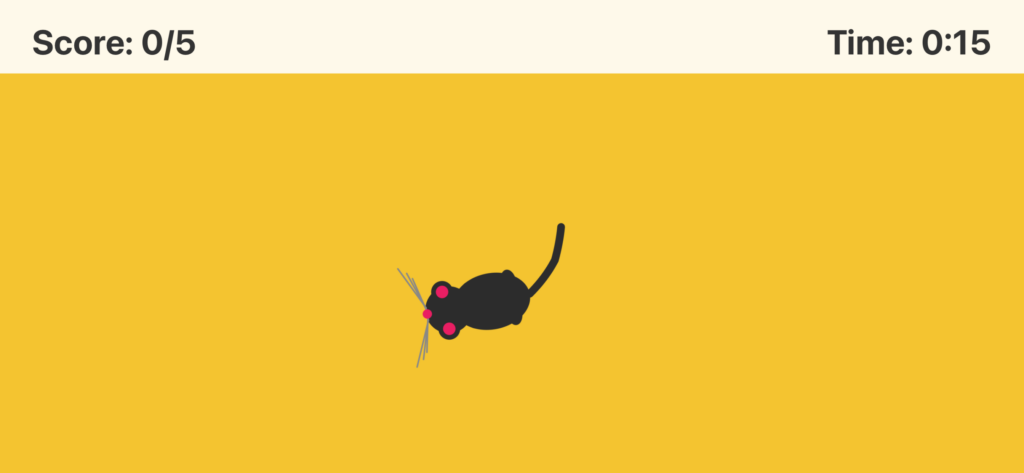
I ended up building the mouse as an SVG illustration. Top-down perspective, black silhouette with grey whiskers and a curved tail. But here’s where it got interesting – I didn’t just want a static image rotating. I wanted it to feel alive.
I created four different pose variations. Each one has slightly different whisker angles and tail curves – alert, relaxed, curious, and twitchy. The app randomly switches between these poses as the mouse moves, and adds little twitches during the pauses. It’s subtle, but it makes a huge difference. The mouse looks like it’s breathing, thinking, deciding where to run next.
The movement patterns are variable too. 30% of the time it darts quickly, 40% it scurries at normal speed, and 30% it creeps slowly. Random intervals between 400-1400ms. Unpredictable, like a real mouse trying to avoid a predator.
The Sound
Getting the right squeak sound was trickier than expected. The first sound I tried sounded like a cat, which was ironic but unhelpful. I ended up with a 2KB MP3 file that sounds properly mouse-like. Small file size was important – no point bloating the app for a sound effect.
The Build Process
This was my first time using EAS Build for a production app. The learning curve wasn’t too bad, but there were gotchas:
Build numbers matter. iOS won’t let you submit the same build number twice. I had to increment it in app.json and rebuild when I realized the app name was still “Kitty Catch” instead of “Kitty Chaser” (I’d changed it partway through to avoid App Store name conflicts).
Dependencies are critical. My first few builds failed because of leftover 3D libraries in package.json. When I abandoned the 3D mouse idea, I should’ve cleaned up immediately. Eventually did a full dependency purge and regenerated package-lock.json. Clean builds after that.
Apple Developer account needs maintenance. My first submission attempt failed because Apple had updated their Developer Program License Agreement and I hadn’t accepted it yet. Quick detour to developer.apple.com to click through the new terms.
App Store Connect
Getting through App Store Connect’s requirements was tedious but straightforward:
- Screenshots: Grabbed them straight from TestFlight on the iPad
- Description: Wrote it conversational, focused on cat owners
- Privacy Policy: Simple one-pager – the app literally collects zero data
- Keywords: cat game, cat toy, pet enrichment, interactive cat, mouse game
- Category: Entertainment
- Age Rating: 4+ (it’s a mouse, not exactly mature content)
The icon took longer than it should have. I built an HTML generator that renders the SVG mouse on a yellow background (cheese-themed), with rounded iOS corners. 1024×1024 PNG, ready to go.
What’s Next
Right now it’s in review. Apple says 50% of apps get reviewed in 24 hours, 90% within 48 hours. So sometime between tomorrow night and Sunday I’ll know if it’s approved or if they want changes.
If it gets approved, I’m thinking about adding difficulty levels – maybe a “hard mode” with faster mice, or multiple mice on screen at once. Could also add different animals. Birds, fish, maybe even a laser dot simulation.
The real test will be whether actual cats like it. I’ve got the app on my iPad via TestFlight already, but haven’t had a chance to properly test it with a cat yet. That’ll be the weekend experiment.
In Conclusion
This entire project – idea to submission – took one day. The tooling around React Native and Expo has gotten good enough that you can ship a real, App Store-ready app in a handful of hours if you know what you’re doing and don’t hit too many roadblocks.
The biggest time sink was iterating on the mouse behavior. Making it feel alive took way more tweaking than I expected. But that’s the difference between a tech demo and something people (or cats) might actually enjoy using.
Update
So, Version 1.0.0, Build 2 was finally reviewed – took a couple of days… and…
It was declined
Apparently, there are too many other apps of the same theme in the app store!.. arhahghggh.
That is true – there are a few. I guess I’ll need to come up with something more original, but hey – it was fun going through the process, and at least I know the steps now.
I’ll continue to explore new worlds….